Least-Privilege Access Control Architectures for Internal Database Tooling
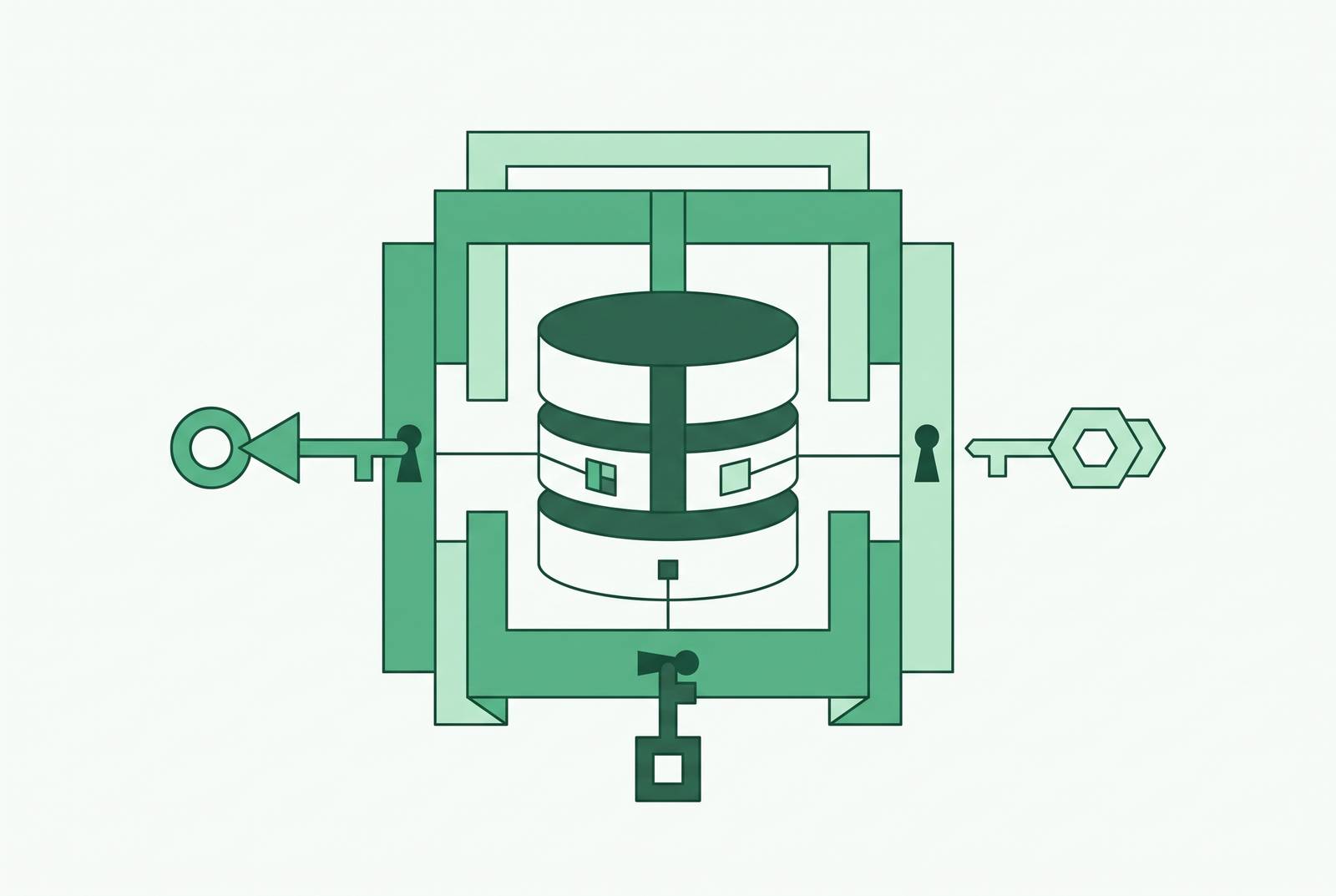
Least-privilege access control for internal database tools requires four connected mechanisms, namely role scoping, row- and column-level enforcement, just-in-time elevation, and lifecycle automation. Together, they let sales, support, product, and ops teams self-serve without inheriting full database access.
Why internal database tooling creates a distinct least-privilege problem
Non-technical teams need answers from production data without having to file a ticket, but that same database holds PII, financial records, and sensitive operational state. Self-service brings these competing demands into one interface. A support user needs access scoped to their work. But internal tools often inherit broad, standing credentials from the engineer who configured them, turning a setup convenience into the permission model for everyone who follows.
A generic SQL client backed by broad permissions exposes DDL and DML capabilities, including changes to data and database structure. An UPDATE without a WHERE clause or an accidental DROP can cause serious, irreversible damage. The interface may look friendly while the credential behind it remains formidable. This is therefore an architectural problem before it becomes an incident, because standing permissions determine how much damage a careless or compromised account can do.
How privilege accumulates silently inside internal tooling over time
A developer gets access to the production database to look into an incident. The incident ends, but the access does not. Nobody built expiration into the grant, so a temporary exception becomes part of the normal environment. The policy still says “least privilege.” The database has not read the policy.
Someone who moves from engineering to sales may get access to customer data and keep their production privileges, while internal admin panels and BI tools gather permissions for anything they might need later. Current use can be benign while the account remains overpowered. For human entitlements, privileged sessions, service accounts, and AI agent per-invocation scope, the question is the same. What does this task require now?
This drift explains why a one-time permissions cleanup cannot finish the job. Grants need a set end, and when a role changes, the new access needs to take the place of the old. Otherwise, each time someone looks into an incident, another spare key ends up under the mat.
What native database roles can and cannot enforce on their own
Native database roles provide a sound foundation. They determine who can log in and which tables or schemas a role can touch, with GRANT and REVOKE defining coarse access boundaries. Those are necessary decisions, but they are not the whole decision. Permission to read a users table does not, by itself, distinguish the rows or sensitive fields that different departments should see.
Basic role grants also do not mask query results, log each SQL statement and the data it returns, or set time-bounded access windows on their own. Those jobs need other mechanisms, including database policies and access infrastructure.
Accounts for internal tools should have only the SELECT, INSERT, UPDATE, and DELETE permissions they need on the tables they use. Schema migration accounts should stay separate from application accounts, and DBAs should get administrative access for one session at a time.
The four control layers that compose a complete least-privilege architecture
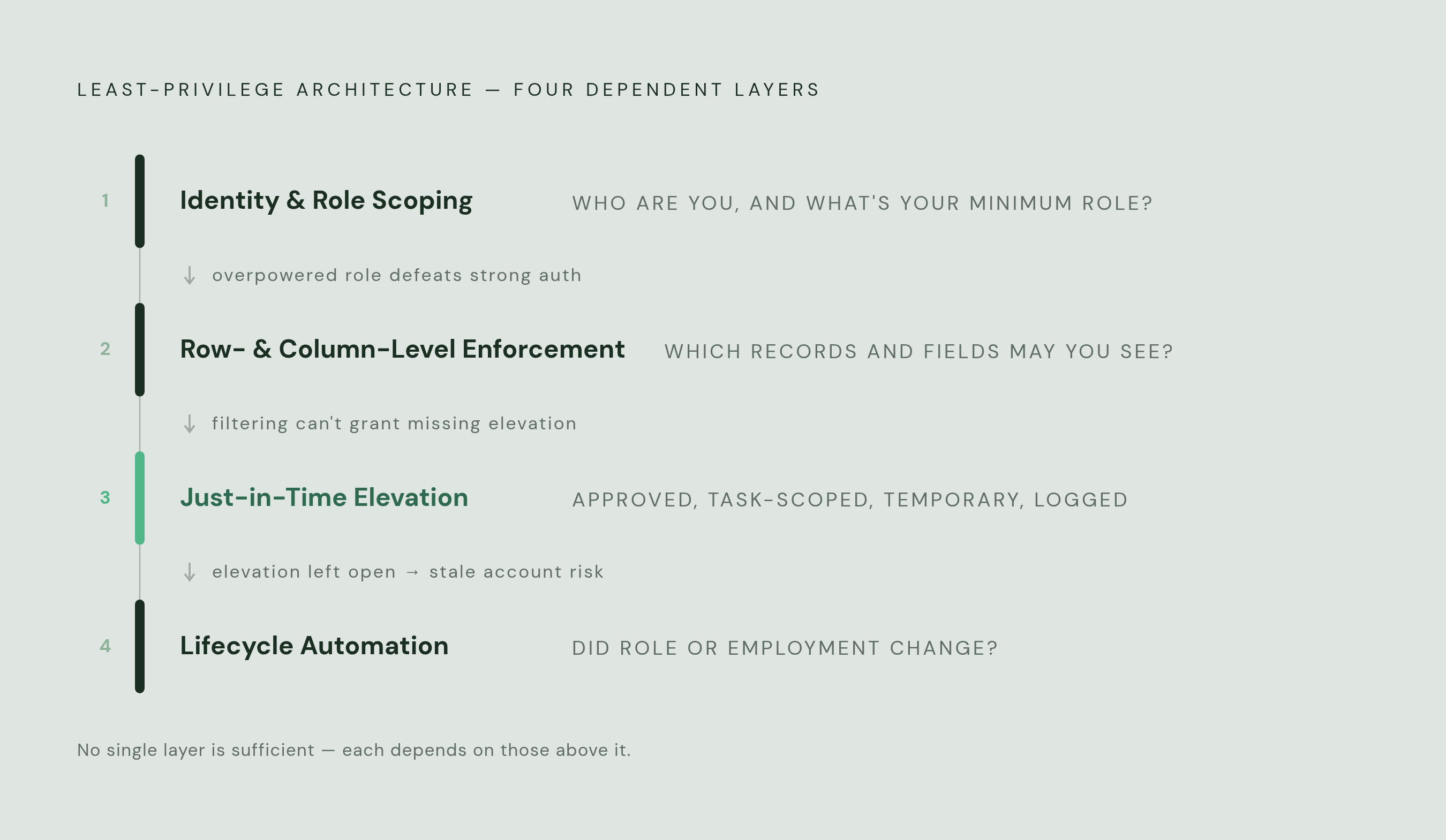
Identity and role scoping form the first layer, binding access to a verified person and a role with minimal standing permissions. Row- and column-level enforcement form the second, filtering records and masking or excluding sensitive fields inside otherwise permitted tables. These layers answer different questions. Knowing that someone belongs to support does not settle which customer records or payment fields that person should see.
Just-in-time elevation supplies the third layer for tasks that genuinely need stronger permissions. It makes privileged access approved, task-scoped, temporary, and logged. Lifecycle automation supplies the fourth, changing or removing entitlements when people move roles or leave. In the incident example, elevation covers access for the time spent on the investigation, while lifecycle automation changes access when the developer later moves to another team.
The layers depend on one another. Strong authentication cannot compensate for an overpowered role, and careful data filtering cannot retire an obsolete account. Grant workflows and periodic access reviews reinforce the architecture by testing whether access is justified in the first place and still needed later.
Tying database access to verified identity through role scoping and SSO
Shared credentials make it impossible to tell one user from another. When five engineers share a database user, query logs cannot attribute actions to a particular person, and access cannot be selectively revoked. A named identity preserves that distinction. For non-technical users, the internal tool should authenticate through SSO, inherit the user’s role, and connect with credentials scoped to that role without giving the person a raw database password.
Okta and Microsoft Entra ID provide the organizational identity information from which access policies can derive. Okta supports MFA, groups, and group synchronization to an access control platform, while Entra ID adds conditional access based on device posture, location, and risk signals. This gives role scoping a source of organizational truth. HR can manage employee records while sales handles customer data, with the boundary in place before a query runs.
StrongDM provides a unified access control plane that brokers, approves, and monitors access across databases, servers, and cloud services. Growth through acquisition left Seismic with four cloud platforms and fragmented access management before it consolidated onto a single RBAC platform enforcing least privilege and JIT access.
How to restrict which rows and columns a non-technical team can see
A product manager studying adoption may need information from a users table without needing individual email addresses, customer IDs, or payment details. Row-level security filters which records come back based on the identity or role that runs the query, while column-level controls leave out sensitive fields or mask their values. Masking lets engineers diagnose problems without putting raw PII on their screens.
PostgreSQL, Snowflake, and BigQuery support native row-level security policies enforced by the database engine. Tools that execute queries as the authenticated user inherit those policies, so the rules apply across clients. An application-only restriction can be bypassed through another tool, whereas a database policy follows the query to the data.
Removing a bulk CSV export button does not stop a permitted SELECT * from exposing sensitive fields row by row. A sensible tiered model therefore makes dashboard viewing the default and requires explicit, reviewable grants for raw identifiers, bulk exports, and API usage. AI-generated SQL needs exactly the same treatment as a dashboard query. A natural-language prompt is not a permission slip.
Just-in-time elevation for privileged database operations that standing access should never cover
The person looking into an incident may need production privileges that should stay out of everyday work. That need justifies temporary elevation. A JIT workflow begins with a task-specific request and approval, whether manual, ticket-based, or through an on-call exception. It then issues scoped credentials for a defined window, logs the elevated session’s queries and commands, and expires access automatically.
HashiCorp Vault’s database secrets engine creates a unique database user with permissions defined by a Vault role and schedules that user’s deletion at TTL expiry. This removes the need for long-lived credentials. Vault operates at the credential layer, with connections going directly to the database after issuance, so SQL logging and per-query policy enforcement require a separate proxy or broker.
Teleport’s database service supplies a different part of that architecture. It proxies connections using short-lived certificates bound to SSO identities, logs SQL queries and outcomes, and records sessions without providing database credentials directly to the user’s machine. StrongDM combines JIT approvals through tickets or chat tools with ephemeral credentials tracked at the query and command level. These distinctions separate credential lifetime from session oversight. The investigator needs both, so the work remains attributable and the exceptional access ends without a cleanup reminder.
Lifecycle automation for access that must change when people and roles change
Expiration solves the temporary investigation, but not every permission has a predetermined end date. A sales role may be correct for months and wrong the moment its holder changes teams. Access must follow that change. Without an automated mover workflow, old entitlements accumulate beneath new ones, leaving a person with the privileges of several jobs but the responsibilities of only one.
Okta and Microsoft Entra ID can provide lifecycle triggers from role changes and terminations driven by a human resources system. When the IdP is the authoritative source, those events can propagate automatically to the access control layer. Leavers need prompt deprovisioning of both database credentials and internal tool access. Disabling one route is not the same as removing the entitlement everywhere it exists.
Periodic access certification catches permissions that lifecycle events miss, including grants that were justified but are no longer needed. Those reviews need engagement enforcement rather than silent, unattended approval queues. Service accounts belong in the same review process. When an internal tool’s workload changes, its permissions must change too, because “just in case” is not a workload requirement.
How the choice of internal tooling layer shapes what access controls you can realistically enforce
The choice of interface changes how much governance work must happen elsewhere. DBeaver, DataGrip, TablePlus, and pgAdmin are full SQL clients designed for database administrators and engineers, exposing DDL and DML within the permissions of the connected account. They rely on database-native enforcement for row and column restrictions. A SQL client is not a role policy. Local connections also leave centralized identity, query logging, and session revocation to other parts of the architecture.
Centralized web platforms can enforce organization-wide SSO, VPN restrictions, audit logging, and per-user permissions at the application layer. When they connect through scoped role credentials rather than a shared admin account, those controls compose with database-layer RLS. A web application using an overpowered shared credential still has an overpowered shared credential.
For non-technical teams, the selection criteria should therefore be concrete. The platform should bind sessions to SSO identities, use per-role database credentials, expose only permitted tables and views, log access by user, and allow permissioned editing without raw SQL. Many teams consequently need different tools for different work, with a classic database client for engineering and DBA tasks and a higher-level platform for governed self-service.
Putting the architecture together — what a defensible least-privilege posture requires in practice
A team evaluating its current setup can test it against five conditions. Every internal-tool connection must trace to a named, SSO-authenticated identity with a scoped role. Row-level policies and column masking must protect data no matter which client builds the query. Privileged operations must use access that has been approved and will expire, with query-level logging in place. Lifecycle events must change or remove entitlements automatically, and periodic certification must catch access that still works but is no longer needed.
For teams behind that standard, the starting point is the credentials already powering their tools. Audit service account permissions and tighten grants broader than the actual workload requires. Replace shared credentials with per-role scoped accounts while preserving attribution to each authenticated user. Then enable RLS on sensitive tables with policies tied to the IdP groups that map to internal roles, and add TTL-based expiration to grants issued for temporary purposes. Tool selection should support this work by centralizing authentication, query logging, and custody of raw credentials.
Operational success means sales and support can get the data their work requires without seeing protected fields or inheriting unrestricted database powers. The incident investigator can obtain stronger access, use it under observation, and lose it automatically when the window closes. When a person’s role changes, their access changes with it.