Safe Editable Data Access Patterns for Ops and Support Teams
Let support teams safely edit live data without exposing sensitive customer records.
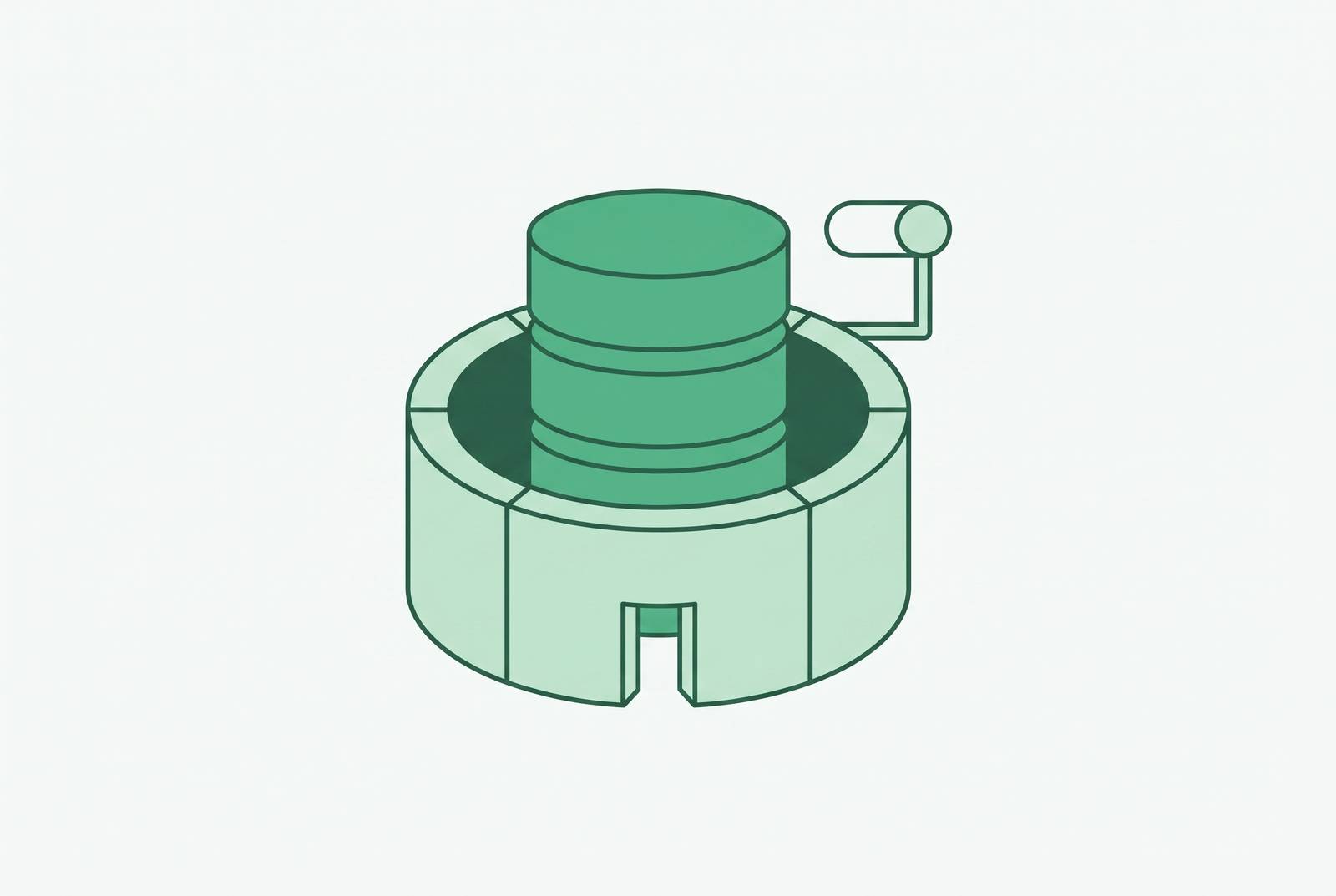
A customer calls in about a billing dispute. The support agent pulls up the account, sees the charge, confirms the customer is right, and needs to issue a refund or update a subscription status. That takes thirty seconds, in theory. In practice, most companies hand this problem to one of two systems, and both of them fail, just in different directions.
The first system is raw database credentials. Someone in engineering gets tired of fielding the same requests and just hands out a login. Now the support agent can query the database directly. The second system is the opposite: lock the database down completely and route every request through a ticket to engineering. Need to fix a typo in a shipping address? File a ticket. Need to issue a refund? File a ticket. Need to check why an order is stuck? File a ticket.
Raw credentials give away too much. Engineer-mediated tickets give away too little, too slowly. The constraint is that one team has become the only group allowed to touch live data, and everyone else has to wait on them.
This is an organizational problem wearing a technical costume. Block access entirely, and incident recovery slows to a crawl because nobody but engineering can act. Opening plain read access lets sensitive customer records start appearing in tools that were never built to hold them. Support agents, billing teams, account managers, and trust-and-safety staff don't need analytics. They need to view records, update account states, trigger refunds, and fix data errors, which are write operations on live, current data. Handing them too much creates a data exposure problem. Handing them too little means support can't close a ticket, ops can't fix a record, and the engineer becomes the only person in the building who can actually get anything done.
Why read-only access alone does not protect sensitive data
Read-only access controls writes, not visibility, which is the misconception sitting underneath a lot of bad access decisions.
A read-only flag controls whether someone can write to the database. It does nothing to control which columns come back in a query result. The read-only flag doesn't know the difference between a sensitive field and a harmless one. It just stops writes.
The objection here is usually some version of "we trust our support team," and that's probably true. But trust isn't the variable that matters. The variable is blast radius: what happens when a login gets shared across a shift, a screen gets shared on a call, or a laptop gets compromised. Read-only access with no column or row restrictions means every one of those situations exposes the same amount of sensitive data as a full breach of that table, because the account itself places no limit on what comes back in a result set.
There's also a quieter risk baked into how support and ops teams actually work. They live in ticket tools, CRMs, and Slack. Database security tooling for 2026 lists data masking and tokenization as their own distinct category, separate from access control entirely, because controlling who can connect is a different job from controlling what they can see. Controlling who can connect to the database is one job. Controlling what a connection is allowed to see is a different job, and read-only access only does the first one.
How RBAC works in practice for non-engineer teams
Role-based access control, or RBAC, is the right place to start. The idea is simple: define roles, attach permissions to those roles, assign people to roles that match their job. A support agent gets a support role. A billing specialist gets a billing role. Nobody gets handed a personal set of permissions cobbled together over time.
Where this breaks down almost never has to do with RBAC itself, but with what happens after RBAC gets set up and nobody maintains it. Eighteen months later, there's a role called "temp-migration-access" still active, still attached to three people, and nobody remembers why it exists or what it was for. That's the actual failure mode: not missing RBAC, but RBAC that only ever grows.
A clean structure separates what a role can do from who uses it. A support tier-1 role covers account lookup and status updates. A billing-ops role covers payment record edits. Neither one touches schema changes or admin functions, because neither job requires it. The same logic applies no matter what database sits underneath, this isn't a pattern specific to one vendor.
Applying least privilege in practice means giving each person only what their current job needs, not what might be convenient someday, and not whatever the last person in that seat happened to have. Start with fewer roles than feels comfortable. It's easier to add one later than to find and retire twelve that outlived their purpose.
Row-level security: letting the same role see different records depending on who is asking
RBAC answers who gets to do what. Row-level security answers a narrower question: which specific records does a given person get to see, even within a role they already hold.
Without row-level filtering, a role grants access to an entire table. Giving someone a "support agent" role without row-level security means that role sees every customer's data, not just the accounts assigned to them. That's a much bigger exposure than the job requires. A support agent handling accounts in one region doesn't need to see records from a region they'll never touch. Row-level security scopes the role down to just the rows that match the agent's actual assignment, same role, different visible data, depending on who's logged in.
A multi-tenant SaaS company runs into this constantly. The same logic maps directly onto internal team segmentation: a support agent assigned to one regional book of business shouldn't be able to pull up an account from another region just because both fall under the same "support" role.
Healthcare makes the stakes even clearer. Clinicians need the operational record. Billing staff need the payment fields. Admin staff need to see that a workflow step happened without seeing the protected health information sitting inside it. One implementation detail matters here: row-level policies need to live at the database or access layer, not inside the application. Filtering built into an app can be routed around by anyone who queries the database directly. Enforce it where the data actually lives, and there's no way around it.
Dynamic field masking: hiding sensitive columns without hiding the record
Row-level security solves which records someone can see. It doesn't solve which fields inside those records they can see. A support agent scoped correctly to their own region might still pull up a record and find a full credit card number sitting right there, even though resolving the ticket never required seeing more than the last four digits.
Dynamic data masking closes that gap. One pattern for this is an access layer sitting between the client and the database: the database handles storage and permissions as usual, while the proxy layer applies masking and checks statements on the way through. That lets an engineer debugging an outage get the live context needed to fix it, without sensitive values ever rendering on screen unmasked.
A concrete mapping for a support team might look like this: a tier-1 agent sees the last four digits of a card, not the full number. They see a hashed version of an email for identity verification, not the plaintext address. They see full account status and order history, because that's what actually resolves the ticket. Nothing more comes through, and nothing the agent needs is missing either.
It's tempting to think a sanitized staging database already covers this. A sanitized staging database doesn't cover this, because a nightly scrubbed copy of production drifts out of date within hours. It can't answer "what does this customer's account look like right now," which is the exact question a live support interaction depends on. Masking has to happen on the current data, in real time, or it isn't actually useful for the work support teams do all day, because production environments require different users to have different levels of visibility into the same record.
Scoped write access: patterns for letting ops teams edit records without the risk of unconstrained writes
Reading data safely is easier than writing to it safely. Writing to it carries both failure modes from the opening section: raw credentials let someone change anything, and ticket queues block every change until an engineer gets to it. Scoped write access is what makes a middle path possible, letting ops teams edit exactly the records and fields their job requires, with the system itself making it hard to touch anything else.
Two structural controls do most of the work here. A second set of eyes catches honest mistakes before they land, and it makes deliberate misuse a lot harder to pull off quietly.
The second control is just-in-time (JIT) access. Any access that has to be granted to production should be time-bound by default, open only for the window the task actually requires.
A workable scoped write pattern needs four things at minimum: role-based access control deciding who can see what, row-level security deciding which records are visible to which users, column-level restrictions locking down sensitive fields like compensation data or PII, and audit logging recording who did what and when.
Audit trails: what to log, why it matters for both security and ops accountability
Permissions decide what a team can do. Audit trails decide whether anyone can prove what actually happened, which matters to security investigating misuse and to the ops team documenting day-to-day work, for different reasons.
A useful audit log records activity that lets a team investigate a change and spot possible misuse, and that applies equally to a deliberate bad actor and to an ops person who updated the wrong account by mistake. To be useful, a log needs to capture who executed an action, on which record, at what time, and from which tool or session. A log that only tracks successful read queries falls short here. It won't help anyone reconstruct a write operation that went sideways, which is usually the exact moment someone needs the log the most.
Database auditing is its own distinct capability in security tooling for 2026 because it produces the evidence an internal investigation or a regulatory review asks for, without engineering having to manually piece together access history from scattered logs after the fact. Basedash treats audit logs as part of the baseline governance set for any internal tool touching production data, alongside SSO and SCIM, RBAC, and row-level security, not an optional add-on bolted on later.
There's an organizational payoff here too, beyond compliance. When support and ops teams know their writes get logged and reviewed, the internal argument for giving them scoped write access in the first place gets a lot easier to make. The log is what turns "we trust this team" into something a security review can actually verify, which is the difference between access that stays permanently restricted out of caution and access that expands because it's provably accountable. A practical side benefit: when a support agent updates the wrong record, the log shows what changed and when, turning a correction into a defined, traceable operation instead of a guessing game about what the account looked like before.
Putting the patterns together: how a 100-person company structures access for ops and support without a dedicated security team
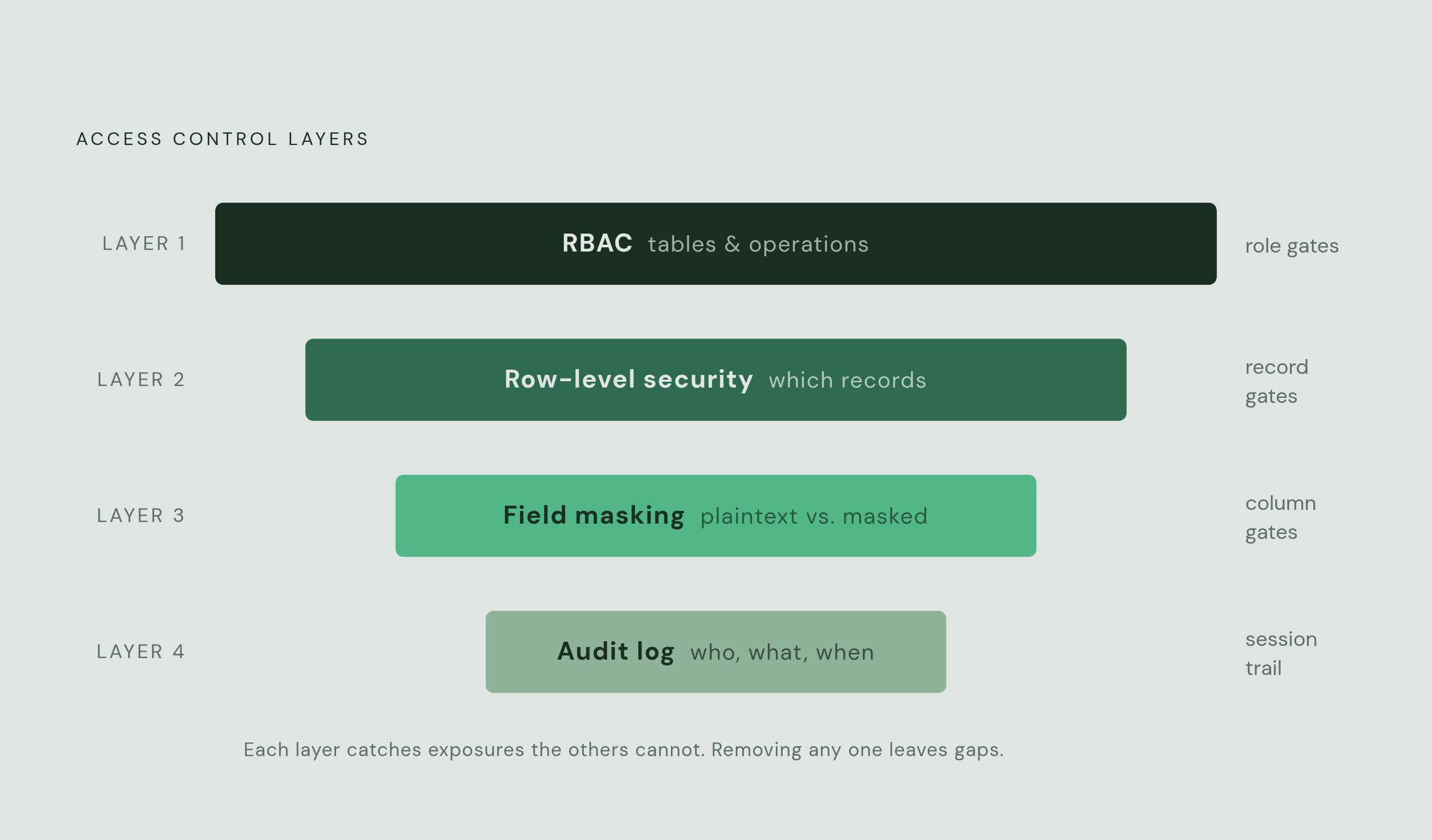
None of these four patterns work in isolation. Scoped RBAC, row-level security, field masking, and audit trails stack on top of each other, and each layer catches an exposure the layer below it can't.
RBAC is the coarse filter: it defines which roles exist and which tables or operations each one can touch. Row-level security narrows that down to specific records within those tables, which rows a given person can actually see or edit. Field masking narrows it further, controlling which columns inside those rows show up in plaintext versus masked. Skipping any one layer leaves gaps the others can't fully cover, since these four patterns function as a connected stack rather than separate checkboxes.
A company of roughly 100 people faces a real choice here. Building this stack in-house means engineering owns a permanent internal-tools surface, custom RBAC, custom masking, custom audit logging, maintained indefinitely alongside the actual product. The alternative is a platform built for this specifically. Basedash connects directly to the production database and handles RBAC, row-level security (currently supported for Postgres), field-level permissions, and audit logging as built-in features. Ops and support teams get a governed interface without engineering maintaining a bespoke admin panel on top of everything else they're responsible for. A few credential boundaries keep this structure inside its own lane: schema migration accounts stay separate from application accounts, read-only replicas run on credentials that physically can't write, and admin access stays reserved for database administrators, granted per session.
Set up this way, the stack does more than reduce risk. It unblocks work. Engineering defines the roles and policies once, and from that point on, ops and support self-serve within the boundaries those policies set. Engineering doesn't disappear from data governance, but the daily bottleneck standing between a support agent and a thirty-second refund goes away.
Sources
- Best database admin tools in 2026
- What Is “Read-Only” Access and Why Does It Matter? - Managed IT Solutions
- Role-Based Access Control (RBAC) Implementation Guide
- What is Row-Level Security (RLS)? Complete Guide (2026)
- Protect sensitive data with dynamic data masking for Amazon Aurora PostgreSQL
- Dynamic Data Masking in Fabric Data Warehouse - Microsoft Fabric