Query Lineage Tracking From Dashboard to Source Table
Trace data movement from source to dashboard to find errors, protect changes, and prove compliance.
Query lineage tracking maps where a data value comes from and everywhere it goes, from the original row in a source table to the exact cell in a dashboard that shows it. Once that map exists, teams can change schemas, chase down bad numbers, and prove to auditors where sensitive data lives without breaking things downstream.
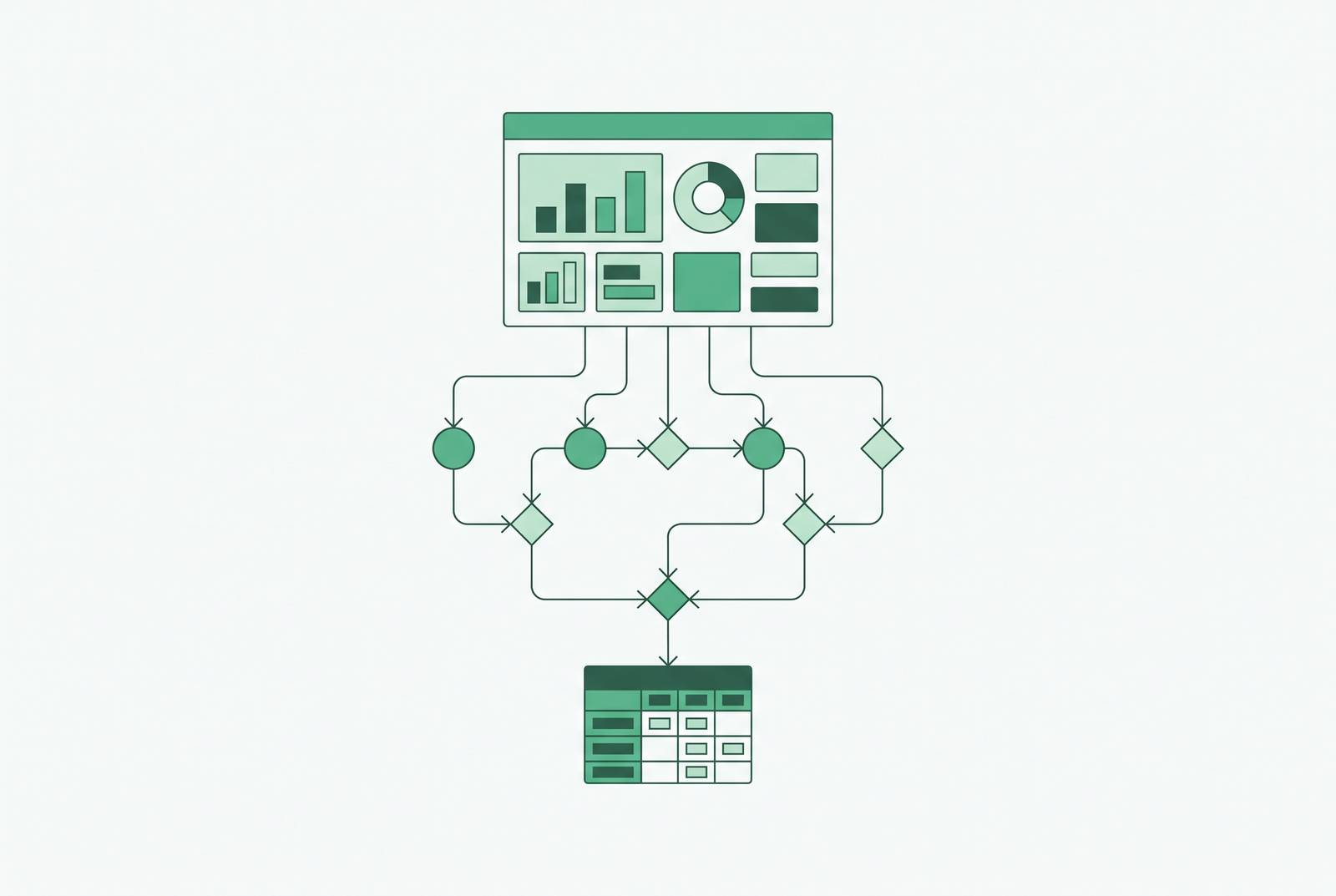
Picture a sales number sitting in an executive dashboard. That number didn't just appear. It came from a CRM transaction, got pulled into a warehouse, passed through a few transformation steps, maybe got joined with another table, then landed in a BI query that renders it on screen. Lineage is the record of that whole trip: source tables, the ETL jobs that move and reshape data, the intermediate views or models in between, the BI query itself, and finally the dashboard cell.
Good lineage doesn't just show what connects to what. It shows how a value was calculated, when the job that built it last ran, and whether that run succeeded. Think of it like a family tree. Every data point has ancestors (the sources it came from) and descendants (everything downstream that depends on it). A real lineage system tracks both directions, because debugging and impact analysis are two different jobs that pull on the same map from opposite ends.
The part that makes lineage actually useful, rather than a diagram someone draws once and forgets, is that it updates on its own as pipelines change. A lineage map that goes stale the moment someone edits a model isn't documentation. It's a liability with a nice interface.
The three operational problems lineage solves for engineering and data teams
Lineage earns its keep in three specific situations.
Impact analysis before you touch anything. Change a source table without knowing what depends on it, and you're guessing. In one retail bank case, running a lineage query ahead of an HR system upgrade turned up 23 dependent dashboards spread across five departments. That's 23 things engineers now knew to protect before making a single change, instead of finding out the hard way after go-live.
Root cause analysis when a number is wrong. A bad figure could come from anywhere: a renamed column, a table that got moved, a calculated field someone edited, an extract that quietly failed. Without lineage, tracking that down means manually retracing every step, asking around, checking job logs by hand. With it, an engineer walks the graph upstream, hop by hop, until they land on the exact transformation that broke.
Compliance and audit trails. Rules like GDPR, CCPA, and HIPAA require showing where personal data came from, how it moved, and who touched it. Lineage is the paper trail that answers those questions without someone rebuilding history from memory and scattered team chat logs.
A trust problem drives all of this: it produces the gap where 83% of CEOs say they want a data-driven organization, but only 30% of employees actually believe they work in one. Wendy S. Batchelder's The Data Governance Handbook points out that 83% of CEOs say they want a data-driven organization, but only 30% of employees actually believe they work in one. That gap is basically a trust gap: people don't believe the numbers because they can't see where the numbers came from. Lineage is what lets anyone, not just the engineer who built the pipeline, check a number's history for themselves.
Table-level versus column-level lineage in practice
Not all lineage is equally useful, and the granularity you get changes what questions you can actually answer.
Table-level lineage tells you two datasets are connected. It does not tell you how. Column-level lineage tells you which specific fields carry that connection, how each one was derived, and exactly which downstream fields depend on it.
Table-level lineage might tell you five tables are linked somehow. Column-level lineage tells you which two of those tables actually use the specific column you're about to rename. That's the difference between checking five things and checking two.
Column-level detail matters most in two spots: tracking personal data fields for compliance, and understanding exactly how a metric gets calculated when finance asks why revenue looks different this quarter. Engineers tend to live in column-level views because that's where debugging happens. Business users usually just need the table-level picture, since they care about where data comes from, not how each field got built.
Building column-level lineage means running a parser over the SQL behind every view, model, and dashboard query, matching input columns to output columns, and recording each match as a connection in a graph. That sounds mechanical, and it mostly is, except for two recurring problems:
SQL dialects don't match. Snowflake, BigQuery, and Redshift all share an ANSI SQL foundation, but each adds its own extensions. Open source parsers don't always catch those, which leaves gaps in the graph. SELECT * breaks the parser. Research into SQL parsing for lineage has flagged this directly: wildcard selects stop the parser from matching output columns back to their source columns, which produces wrong entries and drops correct ones.
dbt says this outright in its own documentation: column-level lineage only reflects SELECT statement logic, not joins and filters. Patterns like JSON unpacking or lateral joins can produce incomplete lineage, and dbt will show a parser warning when that happens. Incomplete lineage isn't a bug in these tools. It's the expected state at the edges.
OpenLineage as the shared vocabulary across heterogeneous pipelines
Before there was a shared standard, every tool stored its own version of lineage in its own format. Stitching together a full picture across five different systems meant manual work, and lots of it.
OpenLineage fixes that by giving pipelines a common vocabulary. It's an open standard maintained by the LF AI & Data Foundation, part of the Linux Foundation, and it defines a vendor-neutral event model that pipelines emit as they run.
Three entities carry the whole model:
Job, the definition of a process (what should happen)
Around those three entities sits a facets system, which is just a flexible way to attach extra metadata: data quality scores, schema versions, operational context, whatever a team needs layered on top of the core graph.
The events get emitted live, as pipelines actually run, not stitched together after the fact from logs. Apache Airflow, Spark, Flink, dbt, Dagster, and most major orchestration platforms already support it, and the events can flow into a compatible backend or custom consumer.
The real payoff of this is portability: with OpenLineage, an organization can swap out or add a lineage producer without touching the consumer on the other end. That portability is the whole argument for standardizing on it instead of building bespoke integrations for every tool in the stack.
"Open source data lineage" gets used to mean three different things. There's OpenLineage the standard, there are open source tools like DataHub Core, and there are commercial platforms that support OpenLineage as a protocol. Mixing those up is a fast way to end up evaluating the wrong thing when comparing options.
What platform-native lineage covers
Most major platforms build lineage in natively now. The catch is that native lineage tends to be strong inside the platform's walls and weak or missing the moment data crosses out of them.
Databricks Unity Catalog logs a lineage event every time a Unity Catalog table or path gets read or written, covering job runs, notebook runs, Databricks SQL queries, dashboards, and alerts. Table-level lineage lives in system.access.table_lineage, column-level in system.access.column_lineage, both queryable directly. The tables also carry metadata indicating how a source was referenced, which matters for figuring out how many hops separate two assets. Lineage system tables keep a rolling one-year window; anything older needs Catalog Explorer or the Lineage API, which retain lineage captured after September 1, 2024 indefinitely. Both lineage tables only capture events where lineage could actually be inferred, so they represent a subset of everything read or written, not all of it.
Google BigQuery, through Dataplex, automatically tracks table-level dependencies for query jobs, DML and DDL operations, load jobs, and copy jobs, all within BigQuery. Lineage appears in the system somewhere between 30 minutes and 24 hours after a job finishes, depending on volume and complexity, so it's not instant. Deleted resource metadata sticks around for 30 days. But native BigQuery lineage stops at BigQuery's edge: it won't reach back into an upstream CRM or database, won't cover dbt models without a manual integration, and won't extend forward into BI tools. There's no column-level detail built in either.
Microsoft Purview, paired with Power BI, covers data discovery, sensitivity classification, and lineage across Azure, Microsoft 365, and Fabric (Fabric needs explicit registration and scanning, it isn't automatic). Automated lineage tracks movement from Data Factory and Power BI into one connected map. Column-level detail is available, but only for a defined set of connectors, so coverage varies depending on what's feeding the system.
Catalog add-ons for BI platforms generally follow the same pattern: automated lineage tracking through a metadata API, with known blind spots around custom SQL queries and failed refreshes that can silently break the chain without any alert. Those gaps become real incidents. A renamed database column has caused published dashboards to stop updating with no warning. A table dropped during a migration has caused a monthly report to show blank data with no error anywhere in sight. That's exactly the failure mode lineage is supposed to catch before it reaches someone's inbox.
The pattern repeats across every platform: strong inside the boundary, weak or absent across it. The cross-system gap is the shared weakness, no matter which platform is doing the native tracking.
Standalone lineage and catalog tools that span the full stack
The data governance market was valued at USD 3.91 billion in 2026 and is projected to hit USD 9.62 billion by 2030, growing at a 19.72% CAGR, pushed along by regulatory pressure, cloud migration, and the data demands of AI systems. Standalone lineage and catalog tools exist to close the cross-system gap that native tools leave open.
Atlan connects BigQuery tables, dbt models, BI dashboards, and upstream CRM sources into one lineage view, backed by a broad connector library and OpenLineage support. Teams running Atlan alongside BigQuery's native lineage have reported saving up to 95% of the time they used to spend on manual discovery and documentation. In Atlan's own AI Labs benchmark, adding lineage context to an AI text-to-SQL system improved its accuracy by 38%. Gartner named Atlan a Leader in the 2025 Magic Quadrant for Metadata Management Solutions and again in the 2026 Magic Quadrant for D&A Governance.
Collibra automatically maps lineage across sources, ETL, and BI tools, with AI-powered extraction building the end-to-end view. It integrates with a wide range of data sources spanning SQL databases, ETL tools, and BI platforms, and its compliance coverage stretches across SOX, BCBS 239, GDPR, CCPA, the EU AI Act, HIPAA, and GxP, which makes it a common pick in heavily regulated industries.
Informatica IDMC bundles ETL, data quality, cataloging, and governance into a single platform, with its CLAIRE engine handling metadata classification and recommendations. It parses SQL, stored procedures, and ETL logic to build lineage across hybrid and legacy systems as well as modern cloud platforms. Salesforce completed its acquisition of Informatica in November 2025 for roughly $8 billion.
Alation uses machine learning to read SQL query logs across warehouses and BI tools and build lineage maps automatically, cutting down on manual documentation. It's built for organizations where business users need to understand data relationships without pulling in IT every time.
DataHub, the open source option, captures column-level lineage by parsing SQL during metadata ingestion, no manual annotation required in the code itself. It connects automatically to Snowflake, BigQuery, Redshift, dbt, and others through native integrations. The core project is open source, and DataHub Cloud is available as a separate managed product for teams that want support on top of it.
Not every team needs this much machinery. For teams running a database-native stack, where dashboards and queries connect straight to production tables without a full warehouse layer sitting in between, a database GUI with saved queries and permissioned access can make the lineage problem smaller at the root. Fewer transformation hops means a shorter, easier-to-audit chain between the source table and the dashboard cell.
How to read lineage in practice: the dashboard-back-to-source traversal
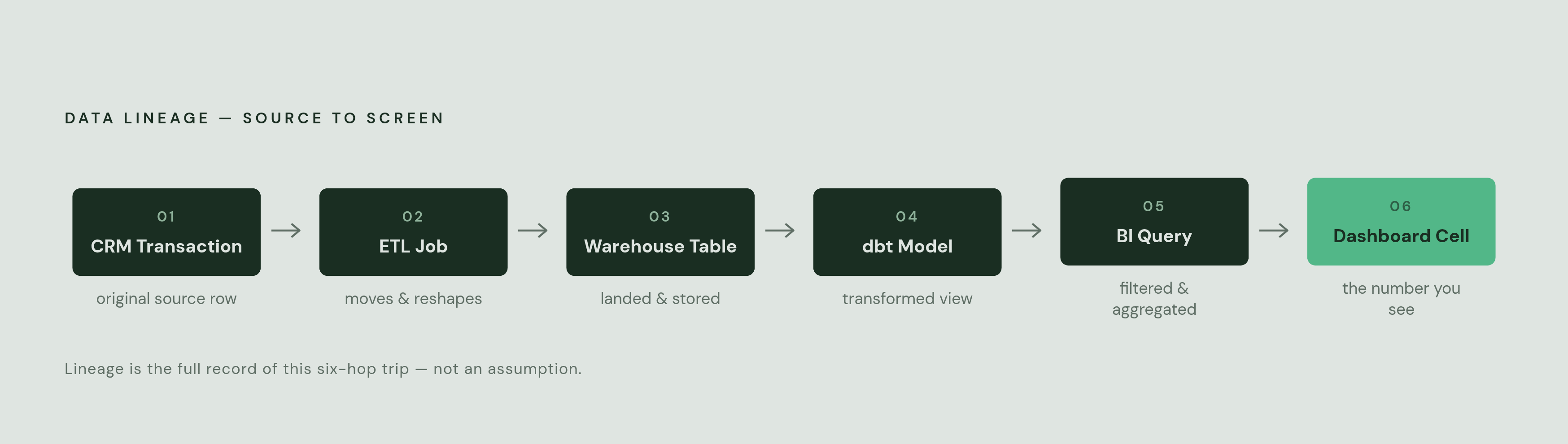
When something looks wrong, the starting point is always the dashboard cell, not the source table. Work backward from the symptom.
The upstream path usually looks like this: dashboard cell, then the BI layer query behind it, then an intermediate view or dbt model, then the warehouse table, then the ETL job, then the original source table. At every hop, the same four questions get asked:
- Which upstream columns fed this field?
- What transformation logic ran on them?
- When did this job last run successfully?
- Who or what triggered that run?
Impact analysis runs the same path in reverse. Start at the source table column about to change, and lineage shows every view, model, and dashboard sitting downstream of it, before the change goes out, not after someone notices a broken report.
BigQuery's latency is a good example of why this order matters. Native lineage can take up to 24 hours to appear. Make a schema change Friday afternoon, and the downstream impact might not be visible until Saturday. That's a strong argument for checking impact before a change goes live, rather than relying on lineage to explain the damage after the fact.
Databricks' direct_access flag is a useful small example of what good lineage metadata looks like in practice. It tells an engineer whether a table was referenced directly or reached through a view, which changes how many hops there are to trace and how long root cause analysis takes.
And the SELECT * and nested-data-unpacking cases mentioned earlier aren't just parser trivia. Automated lineage becomes unreliable at these points, so manual digging has to take over. Knowing where a lineage graph has known blind spots is as useful as the graph itself.
Governance and permissions as the other half of the lineage picture
Mapping where data flows is not the same as controlling who gets to see it at each stop along the way. Lineage answers "where does this go." Governance answers "who's allowed to look at it once it gets there." Both are needed, and neither substitutes for the other.
Column-level lineage is what makes PII tracking workable. Once it's clear that a specific column in a source table flows through three transformation steps into a dashboard field, sensitivity labels can be applied right at the source and access restrictions can follow the data downstream automatically, rather than getting reapplied by hand at every stop.
Row-level and column-level permissions at the database layer are what actually stop someone from seeing data they shouldn't. Lineage is how a team figures out which fields need those permissions applied in the first place.
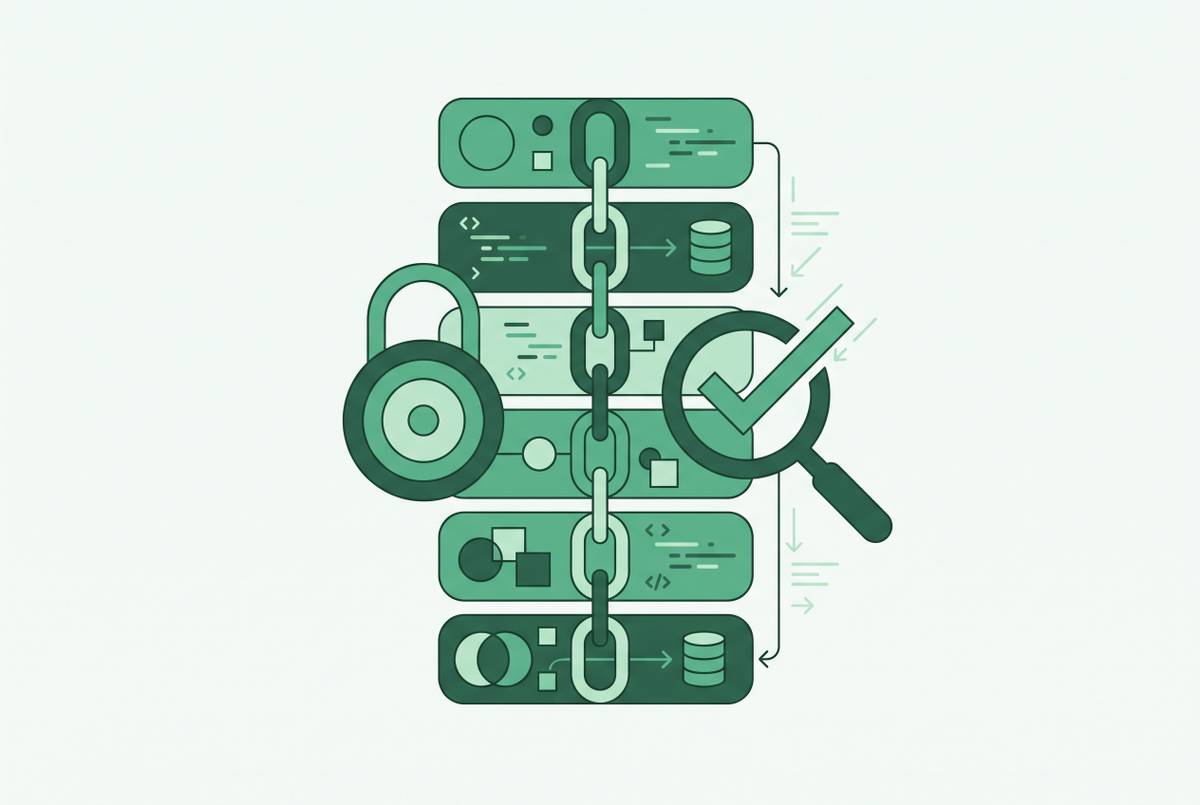
This is exactly what a regulatory audit requires. A GDPR data subject access request means proving every system that touches a person's data, start to finish. Lineage supplies the map. Governance supplies the locks. Put together, they produce the kind of audit trail regulators actually accept, instead of a best-effort reconstruction assembled the week the audit letter arrives.